Search "best AI receptionist software" and every result is written by the vendor whose logo is at the top of the list. That doesn't help. This guide is different: it starts from what an AI receptionist *has to do*, defines the categories the market actually splits into, and gives you the exact checklist we use with GetLeadExpo clients when we're vendor-agnostic.
By the end you'll be able to shortlist three platforms in twenty minutes and demo the winner in a week. If you're still deciding whether you need one at all, start with [AI Receptionist Benefits](/blog/ai-receptionist-benefits) and [What Is an AI Receptionist?](/blog/what-is-an-ai-receptionist).
Table of Contents
- 1. Why "best" depends on your business
- 2. The four categories of AI receptionist software
- 3. The non-negotiable feature checklist
- 4. Best AI receptionist software by category
- 5. Comparing off-the-shelf vs custom-built
- 6. Pricing bands and what each buys you
- 7. How to run a fair 2-week bake-off
- 8. Common buying mistakes to avoid
- 9. Our take: which platform for which business
- 10. FAQ
- 11. Bottom line
1. Why "Best" Depends on Your Business
There is no single "best" AI receptionist. A solo therapist and a 40-agent real estate brokerage want different things — different volume, different channels, different integrations, different budgets, different compliance rules. What matters is picking the right *category* first, then the right platform *inside* that category.
Three questions decide the category:
- Volume. Under 300 inbound interactions/month, or above?
- Channels. Voice-only, chat-only, or true omnichannel (voice + chat + WhatsApp + SMS + DM)?
- Depth of integration. Does the AI just take messages, or does it need to write into your calendar, CRM, EHR, PMS, or booking system?
Answer those honestly and you narrow the market from "sixty vendors" to "three plausible ones."
2. The Four Categories of AI Receptionist Software
The market splits into four buckets. Vendors will fight this framing because it forces them into a lane — that's exactly why it's useful for buyers.
Category A — Voice-first virtual receptionists
Purpose-built for phone calls. Best for businesses whose front door is the phone: dentists, medical clinics, law firms, home services, salons.
- Strengths: latency-tuned voice, natural TTS, call routing, warm transfers.
- Limitations: chat/DM/SMS are usually afterthoughts.
- Typical pricing: $199-$999/month plus per-minute overage.
Category B — Chat-first AI receptionists
Started as website chatbots, evolved into full receptionists on chat + WhatsApp + Messenger + Instagram. Best for e-commerce, agencies, real estate, hospitality booking, SaaS.
- Strengths: rich multi-channel chat, DM integrations, Meta/WhatsApp Business API mastery.
- Limitations: voice is either bolted-on or missing.
- Typical pricing: $99-$499/month plus per-conversation overage.
Category C — Omnichannel AI receptionists
True unified brains that handle voice, chat, SMS, WhatsApp, DM, and email with shared memory. Best for medium and multi-location businesses whose customers use every channel.
- Strengths: one brain across every touchpoint, cross-channel continuity, unified analytics.
- Limitations: higher price, longer onboarding, more moving parts.
- Typical pricing: $499-$2,500/month.
Category D — Custom-built AI receptionists on n8n or similar
You (or a partner) assemble the pipeline from best-of-breed parts — Twilio + Deepgram + OpenAI + ElevenLabs + [n8n](/n8n-automation) — and own every workflow. Best for businesses with unusual needs, strict compliance requirements, or an existing automation stack.
- Strengths: unlimited flexibility, full data ownership, no vendor lock-in.
- Limitations: needs a build partner or in-house automation team.
- Typical pricing: $500-$4,000/month fully-loaded (infra + AI usage + build partner retainer).
3. The Non-Negotiable Feature Checklist
Regardless of category, any AI receptionist worth your money hits these fifteen boxes. Print this and take it into every demo.
Conversation quality
- Sub-1-second voice latency per turn.
- Natural TTS. Would a first-time caller notice? If yes, next.
- Robust turn-taking. The AI doesn't cut you off, and doesn't leave awkward 3-second gaps.
- Multilingual (20+ languages) with mid-call switching.
Real integrations
- Live calendar read AND write — Google, Outlook, Cal.com, Calendly, or your PMS/EHR.
- CRM write — HubSpot, Salesforce, Pipedrive, GoHighLevel, Zoho, at minimum.
- Custom knowledge base you can edit yourself in under 5 minutes.
Business logic
- Programmable handoff rules — who to route where, when, and with what context.
- Programmable escalation triggers — emergency keywords, VIP flags, complaint detection.
- Confirmation loops on high-stakes data (phone numbers, dates, medication names, addresses).
Operations
- Full transcript & recording per interaction with search.
- Intent classification and volume dashboards.
- Missed-recovery reporting and revenue attribution.
Compliance and control
- Data ownership — transcripts and leads belong to you, exportable at any time.
- HIPAA BAA / SOC 2 / GDPR as applicable to your industry.
If a vendor is missing more than two, keep shopping.
4. Best AI Receptionist Software by Category
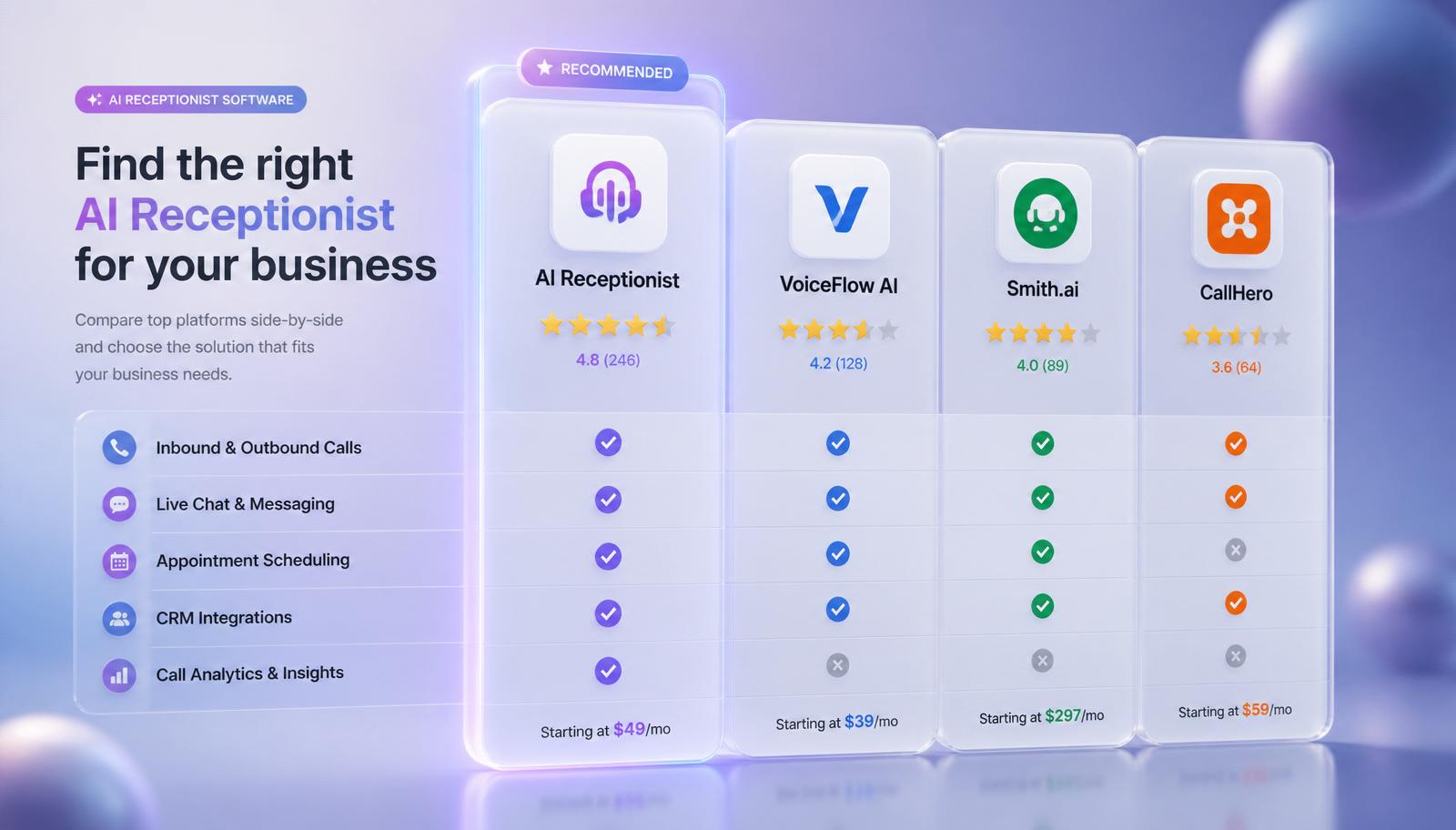
We stay deliberately neutral here — the point isn't to crown a winner, it's to help you shortlist by fit. Vendor names are listed for orientation; do your own bake-off before signing anything.
Voice-first virtual receptionists (Category A)
Notable platforms in the market: Goodcall, Numa, Rosie AI, Smith.ai Voice, Bland AI, Retell AI, Vapi, PolyAI.
- Best fit: clinics, law firms, home services, salons with high phone volume.
- What to test in a demo: latency, TTS quality, warm transfer to a human, integration with your existing calendar.
Chat-first AI receptionists (Category B)
Notable platforms: Intercom Fin, Zendesk AI Agent, Ada, Kustomer AI, Tidio Lyro, WATI AI, Chatling, LiveChat AI.
- Best fit: e-commerce, agencies, real estate, hospitality lead capture.
- What to test: WhatsApp Business API depth, DM integrations, handoff to human agent, custom knowledge accuracy.
Omnichannel AI receptionists (Category C)
Notable platforms: Front AI, Sierra, Simple Phones + Simple Chat, PolyAI Omnichannel, Kustomer, Cognigy, Yellow.ai.
- Best fit: multi-location businesses, brands whose customers span voice and chat evenly.
- What to test: true cross-channel memory (call the AI, then chat the AI five minutes later — does it remember?).
Custom-built on n8n (Category D)
Not a single product — a stack. Typical components: Twilio (telephony), Deepgram (STT), GPT-4o or Claude (LLM), ElevenLabs (TTS), [n8n](/n8n-automation) (orchestration + tools), Supabase (data).
- Best fit: any business that needs strict data control, unusual workflows, or wants to own the automation asset long-term.
- What to test: the build partner's portfolio (ask for live demos), not the tech.
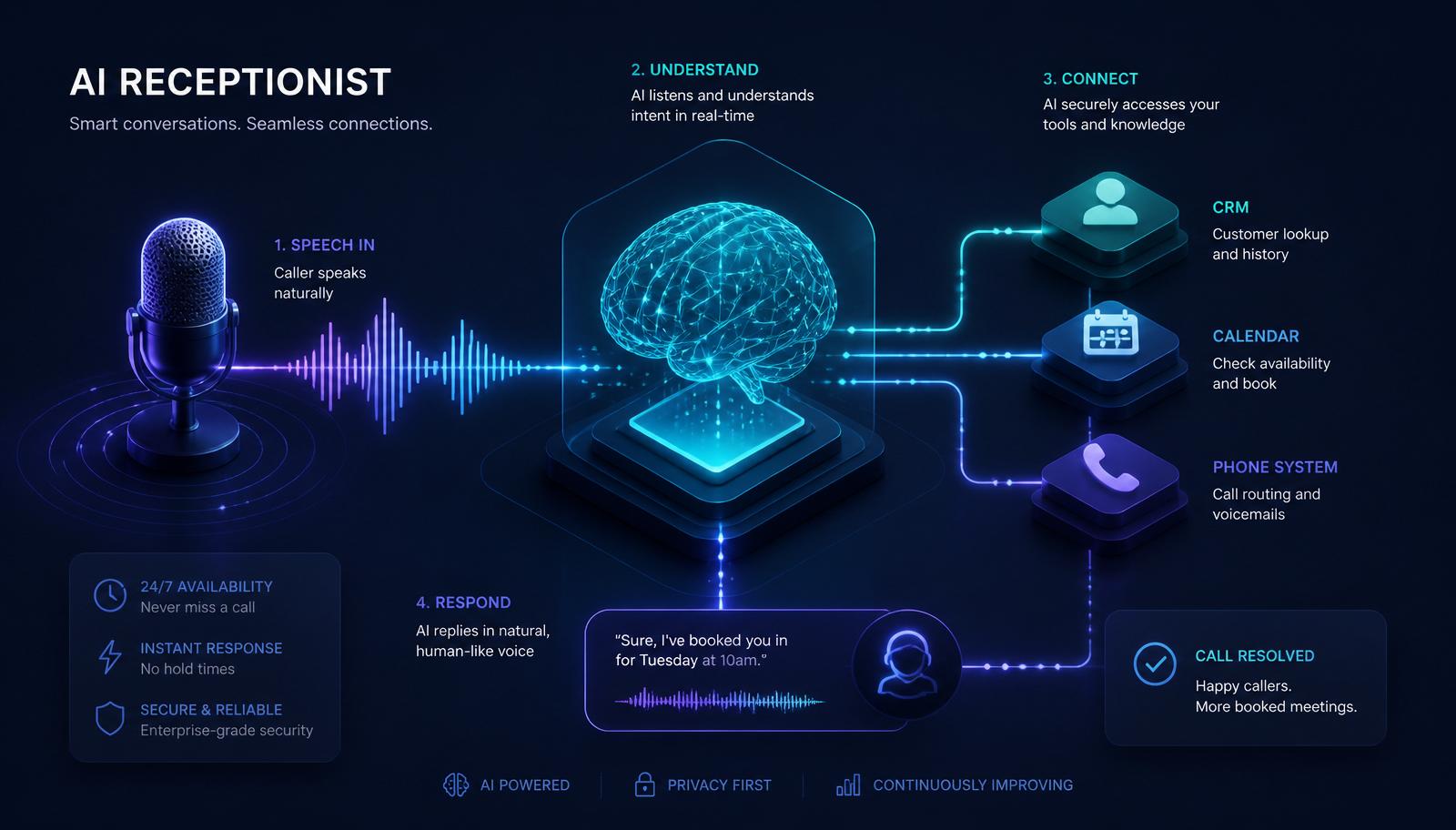
At GetLeadExpo we build Category D deployments because our clients keep asking for two things off-the-shelf platforms can't reliably provide: full data ownership and arbitrary business-logic depth. See how it works in [How an AI Receptionist Works](/blog/how-ai-receptionist-works) and [Building AI Agents with n8n](/blog/building-ai-agents-with-n8n).
5. Off-the-Shelf vs Custom-Built
Neither is universally better. Use this table to decide.
- Off-the-shelf wins when: your use case is standard (book a slot, answer FAQs, capture leads), you value speed of deployment (days, not weeks), you don't need cross-system data flows.
- Custom-built wins when: you have industry-specific compliance, non-standard integrations (e.g. a legacy EHR), complex qualification flows, or want the automation asset on your balance sheet not a vendor's.
A common progression: SMBs start off-the-shelf, then migrate to custom around $100k-$300k annual revenue attributable to the AI, when the flexibility outweighs the build cost.
6. Pricing Bands and What Each Buys You
Rough 2026 market pricing across all four categories:
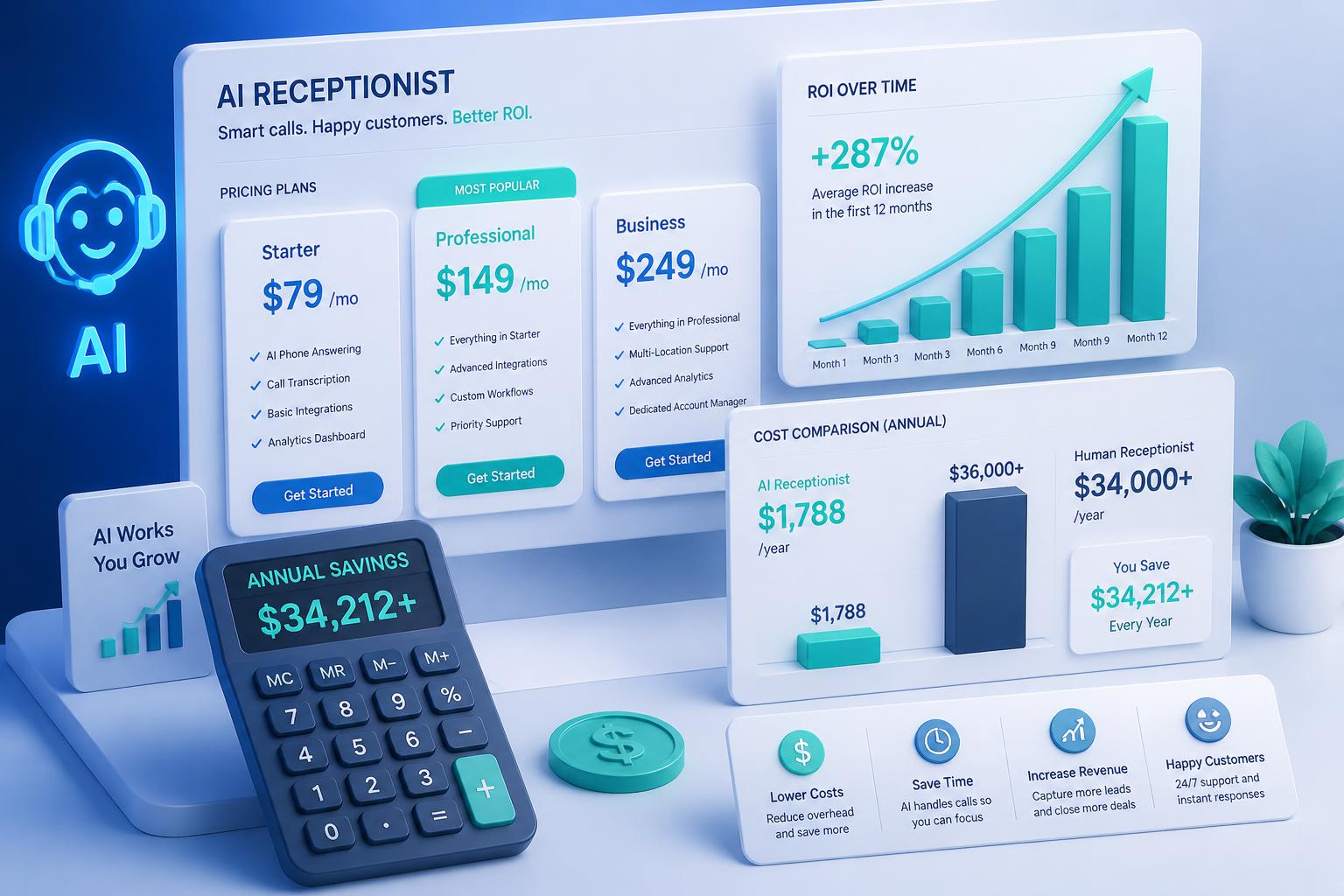
- $99-$299/month. Single-channel, capped conversations, standard integrations. Good for solo operators or businesses testing the idea.
- $300-$799/month. Voice OR chat with real integrations, higher volume, custom knowledge base. Good for most SMBs.
- $800-$1,999/month. True omnichannel, custom voice, HIPAA/SOC 2 available. Good for growing multi-location businesses.
- $2,000+/month. Enterprise features, dedicated success manager, SLAs. Good for national brands or regulated industries.
- Custom-built (Category D). $500-$4,000/month fully-loaded, depending on volume and integrations. Includes build-partner retainer if you use one.
Add setup / implementation fees of $500-$5,000 for anything above the entry tier. We publish an updated AI Receptionist Pricing Guide in our [blog](/blog).
7. How to Run a Fair 2-Week Bake-Off
Shortlist 3 vendors max. More is analysis paralysis. Then:
- Day 1-2. Sales demos with your feature checklist in hand. Score each 0-2 per item.
- Day 3-5. Free-trial or paid pilot builds. Give each vendor the same knowledge base and 10 test scenarios (mix of easy, edge, and hostile).
- Day 6-8. 20+ team test calls / chats per vendor. Score conversation quality, latency, handoff, and confidence-scoring behavior.
- Day 9-10. Integration test — actually connect to your real calendar and CRM in a sandbox.
- Day 11-12. Real-traffic pilot with 20% of inbound routed to the leading vendor.
- Day 13-14. Decision.
Don't skip the real-traffic step. Sales demos always look great; the moment a real caller with a real accent asks a real off-script question, you learn who's ready.
8. Common Buying Mistakes to Avoid
- Picking on brand recognition, not fit. A famous chatbot vendor might be terrible at voice.
- Ignoring latency. A 2-second turn feels broken. Latency is the #1 quality driver on voice.
- Skipping the integration test. "It integrates with HubSpot" and "it writes the right fields into your HubSpot" are different sentences.
- Under-scoping the knowledge base. Bad knowledge in = bad answers out. Budget real time for KB curation.
- Locking into per-minute pricing at high volume. Do the math at 12-month projected volume, not month-1.
- No exit plan. Confirm you can export transcripts and leads at any time.
9. Our Take: Which Platform for Which Business
Blunt, informed opinions from actual deployments — not a scientific ranking.
- Solo practice / small clinic / single-location business: Category A voice-first, or a low-tier custom-built. $199-$499/month.
- Multi-location or omnichannel-heavy SMB: Category C omnichannel, or mid-tier custom-built. $500-$1,500/month.
- Agency, e-commerce, real estate broker: Category B chat-first (WhatsApp + web + DM), or custom-built. $299-$999/month.
- Regulated industry (healthcare, legal, financial): Custom-built on n8n with HIPAA/SOC 2 controls, or enterprise Category C. $999+/month.
- National multi-brand: Enterprise Category C or fully custom. $2,000+/month.
If you'd like a vendor-neutral shortlist for your specific business, [book a free consultation](/contact) — we'll build the comparison matrix with you.
10. Frequently Asked Questions
Is there a single "best" AI receptionist software?
No. Best depends on channel mix, volume, integrations, and compliance. Anyone who says otherwise is selling something.
Should I always go custom?
No. If your use case is standard and you want speed, off-the-shelf is often the right call. Migrate to custom when your needs outgrow the platform.
How important is the underlying LLM?
Less than vendors make it sound. Any frontier model works. Prompt engineering, tool design, and knowledge base quality drive 90% of experience.
Can I run it on my existing phone number?
Yes — either port the number or set conditional forwarding. No customer-facing change.
What's the fastest realistic deployment?
Off-the-shelf single-channel: 3-7 days. Custom omnichannel: 2-4 weeks. Anything faster than that on a serious deployment is a red flag — knowledge base curation alone takes time.
Do free trials tell me anything useful?
Only if you push real scenarios through them and connect at least one real integration. A guided demo tells you almost nothing.
What if my vendor gets acquired or shuts down?
Ask up front: can you export transcripts, leads, and knowledge base at any time? If yes, you're portable. If no, walk away.
11. Bottom Line
The best AI receptionist software in 2026 is the one that fits *your* channels, integrations, volume, and compliance — not the one with the flashiest homepage. Start with the four-category framework, apply the fifteen-item checklist, shortlist three vendors, and run a real two-week bake-off. Ninety-nine percent of buying regret comes from skipping the bake-off.
Next steps:
- Explore live demos of a Category D custom-built AI receptionist on the [demo hub](/demo).
- Understand the ROI in [AI Receptionist Benefits](/blog/ai-receptionist-benefits).
- Compare against a human receptionist in [AI Receptionist vs Human Receptionist](/blog/ai-receptionist-vs-human-receptionist).
- Ready to shortlist? [Book a free consultation](/contact) and we'll help you pick.
---
Related services
- [AI Receptionist](/services/ai-receptionist)
- [n8n Automation](/n8n-automation)
- [Lead Generation](/lead-generation)
Related articles
- [What Is an AI Receptionist?](/blog/what-is-an-ai-receptionist)
- [How an AI Receptionist Works](/blog/how-ai-receptionist-works)
- [AI Receptionist Benefits](/blog/ai-receptionist-benefits)
- [AI Receptionist vs Human Receptionist](/blog/ai-receptionist-vs-human-receptionist)
- [24/7 AI Receptionist](/blog/24-7-ai-receptionist)
- [Building AI Agents with n8n](/blog/building-ai-agents-with-n8n)
Sources & further reading
- G2 — AI Receptionist Software Category
- Gartner — Conversational AI Market Guide
- Forrester Wave — Conversational AI Platforms
- Twilio — State of Customer Engagement Report
- OpenAI — Function Calling and Realtime API
Ashikur Rahman
Founder, GetLeadExpo
Writing about B2B lead generation, deliverability, and n8n AI automation at GetLeadExpo.