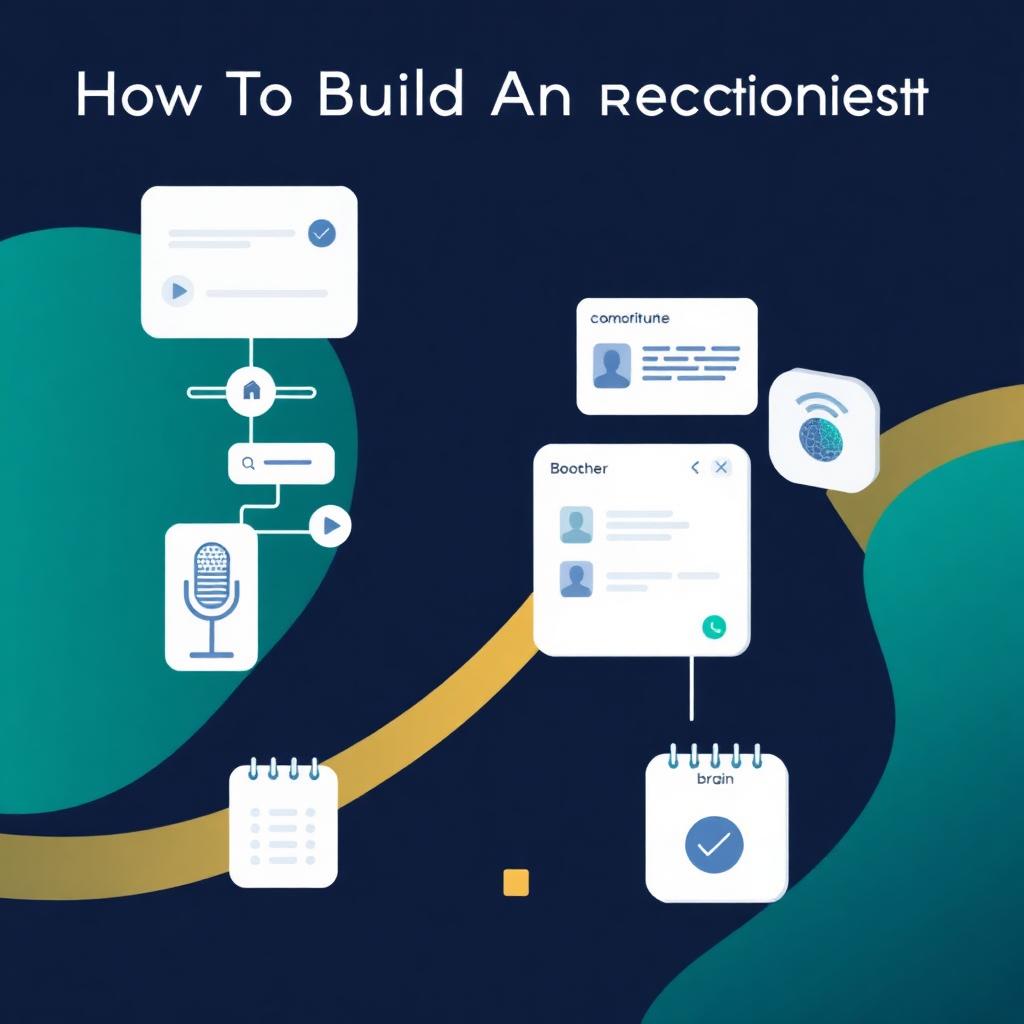
Buying an AI receptionist is the fast path. Building one is the flexible path — and for teams that already run automations on n8n, it is often the cheaper long-term path too. This playbook walks through exactly how we build production-grade AI receptionists at GetLeadExpo: the voice stack, the LLM orchestration layer, the integrations, the guardrails, and the observability that keeps it reliable at 3am.
If you are still evaluating whether to build vs buy, pair this with [Best AI Receptionist Software](/blog/best-ai-receptionist-software), [AI Receptionist Pricing Guide](/blog/ai-receptionist-pricing-guide), and [AI Receptionist Features](/blog/ai-receptionist-features). If you want the conceptual foundations first, [What Is an AI Receptionist?](/blog/what-is-an-ai-receptionist) and [How an AI Receptionist Works](/blog/how-ai-receptionist-works) cover the fundamentals.
Table of Contents
- 1. When building beats buying
- 2. Reference architecture
- 3. Step 1 — Choose the voice stack (telephony + ASR + TTS)
- 4. Step 2 — Design the conversation graph
- 5. Step 3 — Build the LLM orchestration layer
- 6. Step 4 — Wire the knowledge base (RAG done right)
- 7. Step 5 — Integrate calendars, CRM, and business systems
- 8. Step 6 — Escalation, handoff, and safety rails
- 9. Step 7 — Observability, evals, and versioning
- 10. Step 8 — Security, compliance, and data residency
- 11. Step 9 — Load testing and go-live checklist
- 12. Cost model for a self-hosted deployment
- 13. FAQs
1. When building beats buying
Building makes sense when at least two of the following are true:
- You already run business logic in n8n, Make, or a similar workflow platform.
- Your workflows are unusual enough that off-the-shelf platforms need heavy customization.
- You have a compliance or data-residency requirement (HIPAA BAA, EU-only storage) that vendors do not cover on your plan tier.
- You expect >2,000 minutes/month and want to escape per-minute pricing.
- You want to own the prompt, the model choice, and the roadmap.
If none of those apply, buy. See [AI Receptionist Pricing Guide](/blog/ai-receptionist-pricing-guide) for when the math flips.
2. Reference architecture
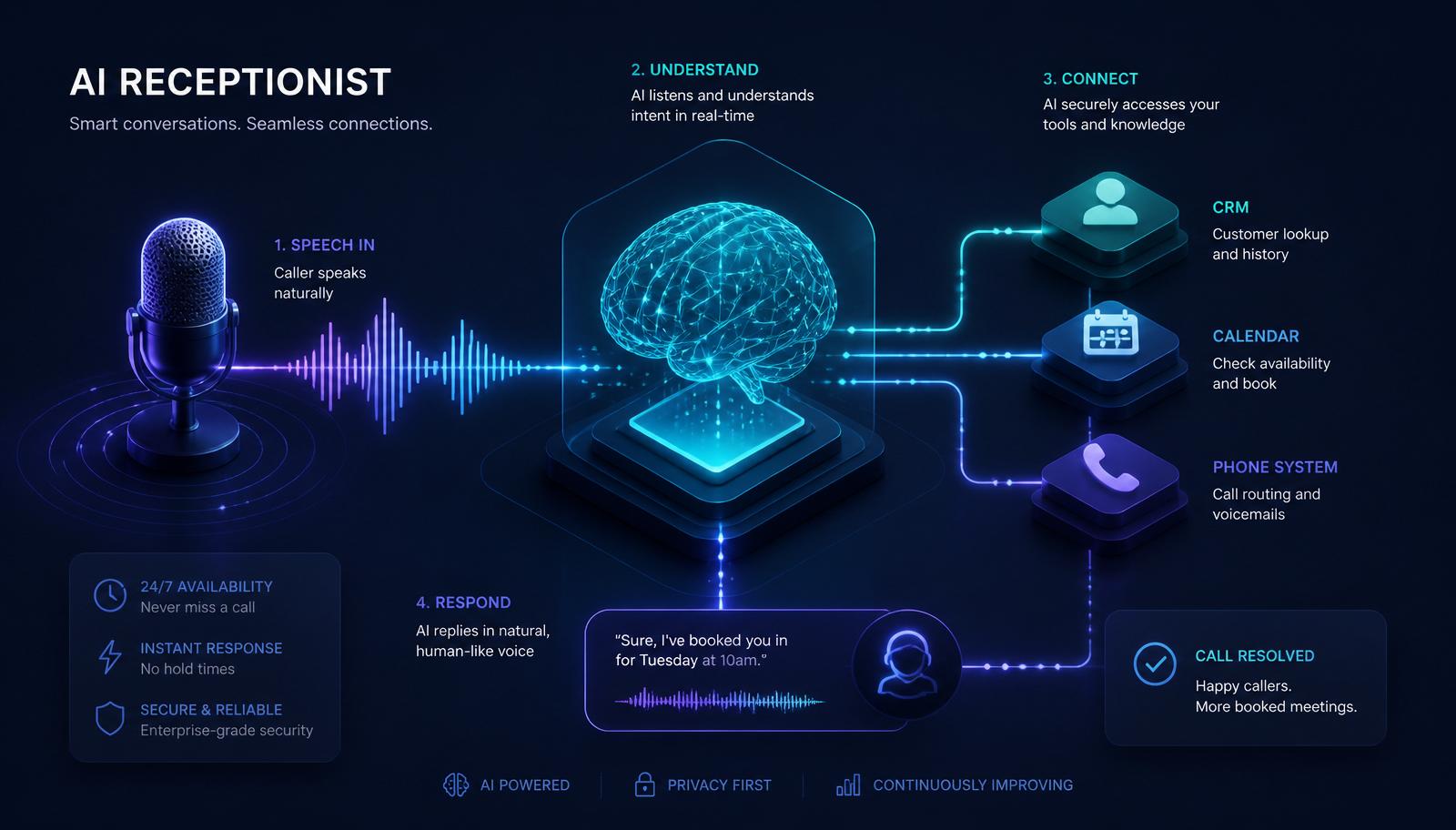
Every production AI receptionist has the same seven-layer anatomy, whether it is built or bought:
```text Caller │ ▼ [Telephony / SIP] ──► Twilio, Telnyx, Vonage, or SIP trunk │ ▼ [Voice Runtime] ──► Vapi, Retell, LiveKit, Pipecat, Ultravox │ ├── ASR (Deepgram, AssemblyAI, Whisper) │ └── TTS (ElevenLabs, PlayHT, Cartesia, OpenAI) │ ▼ [Conversation Graph] ──► State machine + turn-taking rules │ ▼ [LLM Orchestrator] ──► OpenAI, Anthropic, Gemini, Groq │ ├── System prompt + persona │ ├── Tool use (function calling) │ └── Guardrails (Guardrails AI, custom validators) │ ▼ [Knowledge + Tools] ──► RAG (Supabase pgvector, Pinecone), Calendar APIs, │ CRM APIs, custom business logic │ ▼ [Automation Layer] ──► n8n workflows — SMS, email, CRM, escalation, logging │ ▼ [Observability] ──► Transcripts, evals, dashboards, alerts ```
Every layer is swappable. Pick the ones that match your team's skills and constraints.
3. Step 1 — Choose the voice stack (telephony + ASR + TTS)
The voice stack decides how the agent *sounds* and how fast it responds. Get this wrong and no amount of clever prompting saves you.
Telephony
Twilio is the default. Reliable, huge geographic coverage, easy to buy numbers, and every voice runtime integrates with it out of the box. Telnyx wins on price if you have volume. SIP trunk to your existing PBX is the option for enterprises that already own their voice infrastructure.
Voice runtime (the "glue" that runs the call)
- Vapi — fastest to production, great DX, hosted. Best if you want to ship in a week.
- Retell — similar to Vapi, strong on interruption handling.
- LiveKit Agents — open-source, self-hostable, most control. Best if you have infra engineers.
- Pipecat — Python framework by Daily, powerful for custom flows.
- Ultravox — end-to-end speech-in/speech-out models, lowest latency, less flexible.
ASR (speech-to-text)
Deepgram Nova-3 is the current sweet spot for telephony: 8kHz-tuned, sub-300ms streaming, strong on accents and background noise. AssemblyAI Universal-Streaming is a strong alternative. Avoid batch Whisper for real-time calls — it is trained on studio audio and struggles on phone-band input.
TTS (text-to-speech)
ElevenLabs Turbo v2.5 and Cartesia Sonic are the two low-latency leaders. PlayHT 3.0 offers voice cloning at good quality. OpenAI's realtime voices are excellent when you want an end-to-end OpenAI stack. Pick a voice that matches your brand; consult native speakers for non-English languages before shipping.
Latency budget
Target sub-800ms round-trip from caller-stop-speaking to agent-start-speaking. Budget it like this:
- ASR partial detection: 150–250ms
- LLM first token: 300–500ms
- TTS first audio: 150–250ms
- Network + jitter: 100–200ms
Every extra 100ms is felt. If your first prototype clocks 1.5s, you have work to do — usually on the LLM (streaming, smaller model, or a first-response cache).
4. Step 2 — Design the conversation graph
Free-form LLM conversation feels magical until it books an appointment in the wrong year. Serious deployments use a state graph with LLM-in-the-loop transitions:
```text [greeting] → [intent detection] → [book] → [collect_slots] → [confirm] → [end] ↘ [reschedule] → [find_appointment] → [offer_slots] → [confirm] ↘ [faq] → [answer] → [anything_else?] ↘ [handoff] → [warm_transfer] ↘ [emergency] → [override_flow] ```
Rules:
1. One goal per state. The state's system prompt describes the single thing the agent should accomplish here. 2. Slots are typed. Not "the caller said something about Tuesday" — a validated `date` field. 3. Transitions are explicit. The LLM returns a structured intent, code decides the next state. 4. Every state has a fallback. If confidence drops below a threshold, escalate to a human.
This pattern is well supported in Vapi (assistant + squad), Retell (state machine), LiveKit (custom code), and n8n (with a Switch node routing on intent).
5. Step 3 — Build the LLM orchestration layer
Model selection
- GPT-4o mini / gpt-4.1-mini — fast, cheap, strong tool-use. The 2026 default for orchestration.
- Claude 3.5 Haiku — excellent when instruction-following is the bottleneck.
- Gemini 2.0 Flash — cheapest per token, great for long context (FAQ knowledge bases).
- Groq (Llama 3.3 70B) — sub-second first tokens, useful when latency dominates.
Use two-tier routing: cheap model for classification and slot-filling, stronger model only for open-ended answering. This cuts LLM cost 60–80% without quality loss.
System prompt structure
Every state's prompt should include:
1. Persona — voice, tone, formality, name. 2. Goal — the one thing to accomplish in this state. 3. Rules — what the agent must never say (no diagnoses, no legal advice, no price commitments). 4. Tools — the exact function names available in this state. 5. Style — sentence length, no bullet points in speech, no markdown.
Keep it under 400 tokens. Longer prompts increase latency and drift.
Tool / function calling
Expose narrow, well-typed tools:
- `check_availability({ provider_id, date, duration_minutes })`
- `book_appointment({ contact_id, slot_id, reason })`
- `create_lead({ name, phone, intent, notes })`
- `transfer_to_human({ reason, priority })`
- `send_sms({ to, body })`
Every tool call is logged, retried on transient failure, and rate-limited. Never let the LLM emit free-form SQL, code, or arbitrary HTTP requests.
6. Step 4 — Wire the knowledge base (RAG done right)
Do not paste your entire FAQ into the system prompt. Retrieve.
Stack we use:
- Store: Supabase Postgres with the pgvector extension.
- Embeddings: OpenAI `text-embedding-3-small` (cheap, good enough) or `text-embedding-3-large` for higher precision.
- Chunking: 300–500 tokens per chunk, 50-token overlap, semantic boundaries (headings, paragraphs).
- Retrieval: top-5 chunks by cosine similarity, filtered by tenant_id.
- Reranking: optional — Cohere Rerank 3 for the last 5% of quality.
Store the source URL + last-updated timestamp on every chunk so the agent can cite and so stale content gets flagged in the dashboard.
The knowledge base is edited by non-engineers via a simple admin table. Every change is versioned (see Step 7).
7. Step 5 — Integrate calendars, CRM, and business systems
This is where n8n earns its keep. Each integration is a webhook-triggered workflow with typed input and output.
Calendar
- Google Calendar — native n8n node, freebusy for availability, event.insert for booking.
- Outlook / Microsoft 365 — Graph API via HTTP node.
- Cal.com — bookings API is clean, supports multi-team routing.
- Nexhealth / Dentrix / practice management systems — usually vendor APIs; expect quirks.
Cache availability for at most 60 seconds. Any longer causes double bookings.
CRM
Build a single `upsert_contact` workflow that all agents call. It handles:
1. Dedupe on phone + name. 2. Merge into existing record if match. 3. Append call transcript as a note. 4. Create task if follow-up needed. 5. Emit webhook back to the voice runtime with contact_id.
Native integrations exist in n8n for HubSpot, Salesforce, Pipedrive, Zoho, GoHighLevel, Notion, Airtable. See [Building AI Agents With n8n](/blog/building-ai-agents-with-n8n) for the canonical pattern.
SMS + email
Twilio SMS and Resend / Postmark for email, both triggered from n8n on booking confirmation and reminders (24h and 2h before).
8. Step 6 — Escalation, handoff, and safety rails
Three layers of safety:
1. Hard rules in code — the agent cannot commit prices, discounts, medical advice, or legal advice. These strings are blocked pre-TTS. 2. LLM guardrails — a small classifier runs on every user turn to detect emergency, abusive, or out-of-scope content and force a transition. 3. Warm handoff — when transferring, the agent generates a 1–2 sentence brief and either speaks it to the receiving human or drops it into a Slack channel.
Emergency detection is non-negotiable in healthcare, security, and property management. Trigger words + LLM classifier + immediate override to the on-call number.
9. Step 7 — Observability, evals, and versioning
If you cannot see what the agent did, you cannot fix it. Ship these on day one:
- Full transcripts in Supabase or S3, searchable, with metadata (intent, outcome, sentiment, latency).
- Dashboards — calls handled, appointments booked, escalation rate, no-show rate, average handle time, revenue attributed.
- Prompt versioning — every system prompt and knowledge chunk is versioned with a git-style diff. Rollback is one click.
- Automated evals — a nightly job replays 50 curated transcripts against the latest prompt and flags regressions.
- Alerting — pager on 5xx from any tool, or when escalation rate spikes above baseline.
Langfuse, LangSmith, and Helicone are all good drop-in observability layers for the LLM side. n8n's execution log covers the workflow side.
10. Step 8 — Security, compliance, and data residency
- PHI / HIPAA — sign BAAs with every subprocessor (OpenAI Zero Data Retention endpoint, Deepgram BAA, Twilio BAA, Supabase BAA). Encrypt PHI at rest with tenant-scoped keys.
- PCI — never let the agent speak or store card numbers. Hand off to a PCI-compliant DTMF capture service.
- GDPR — EU tenants get EU-region Supabase + EU-region model endpoints. Data-processing addendum in the master contract.
- Recordings — consent prompt at call start ("this call may be recorded"), retention policy in the admin panel, right-to-delete workflow tested quarterly.
11. Step 9 — Load testing and go-live checklist
Before flipping DNS on the production number:
- [ ] Latency P95 under 1.0s on 20 concurrent calls
- [ ] Every intent has at least 10 recorded evals
- [ ] Escalation path tested from every state
- [ ] Emergency override tested with an actual off-hours call
- [ ] Booking → CRM → confirmation SMS → reminder verified end-to-end
- [ ] Rollback playbook written and rehearsed
- [ ] On-call rotation set for the first two weeks
- [ ] Business-hours voicemail fallback tested with the phone off the hook
The first two weeks after go-live are 80% of the work. Budget review sessions daily, then weekly.
12. Cost model for a self-hosted deployment
Ballpark, per month, for a clinic handling ~2,000 calls (5,000 minutes):
- Twilio numbers + minutes: $80–120
- Vapi / voice runtime: $100–200 (or self-hosted LiveKit: infra ~$60)
- Deepgram ASR: $45–70
- ElevenLabs TTS: $80–150
- LLM (mixed cheap + strong): $60–140
- Supabase (DB + pgvector): $25
- n8n Cloud (or self-hosted): $20–50
- Observability (Langfuse etc.): $0–50
Total: roughly $410–800/month, delivering the same or better than a $1,500–3,500/month off-the-shelf plan. Break-even on build cost happens between month 4 and month 9. See [AI Receptionist ROI](/blog/ai-receptionist-roi) for the full model.
13. FAQs
How long does it take to build an AI receptionist from scratch?
A functional MVP takes 2–4 weeks with an experienced team using Vapi + n8n + Supabase. Production-hardened deployment with evals, guardrails, and compliance takes 6–10 weeks.
Do I need to know Python to build one?
Not necessarily. Vapi + n8n + a hosted LLM gets you 80% of the way in low-code. You will need JavaScript for custom tools and prompt engineering discipline for everything else. Full custom stacks (LiveKit, Pipecat) require Python.
Can I build an AI receptionist entirely in n8n?
Almost. n8n handles orchestration, integrations, and workflows brilliantly. You still need a voice runtime (Vapi, Retell, LiveKit) for the actual telephony + ASR + TTS pipeline. Think of n8n as the brain and the voice runtime as the mouth and ears.
What is the hardest part of building one?
Not the AI. It is the boring middle: calendar edge cases (DST, multi-provider, cancellation policies), CRM dedupe, timezone math, escalation rules, and observability. Budget 60% of the timeline for the un-glamorous glue.
Should I build if I have never shipped an LLM app before?
Buy first. Get to know what "good" looks like on a mature vendor for 3–6 months. Then build. The mistakes you make on a $500/month subscription are cheaper than the mistakes you make on your own stack.
Ready to ship an AI receptionist?
If you want a partner that builds this stack in production — voice-first, n8n backbone, CRM-integrated, and monitored — GetLeadExpo does exactly this. We ship in weeks, not quarters, and every deployment inherits the checklist above.
<presentation-actions> <presentation-link url="/services/ai-receptionist">Explore the AI Receptionist service</presentation-link> <presentation-link url="/demo">Book a live demo</presentation-link> </presentation-actions>
Related services
- [AI Receptionist](/services/ai-receptionist)
- [n8n Automation](/n8n-automation)
- [Lead Generation](/lead-generation)
Related articles
- [What Is an AI Receptionist?](/blog/what-is-an-ai-receptionist)
- [How an AI Receptionist Works](/blog/how-ai-receptionist-works)
- [AI Receptionist Features](/blog/ai-receptionist-features)
- [Best AI Receptionist Software](/blog/best-ai-receptionist-software)
- [AI Receptionist Pricing Guide](/blog/ai-receptionist-pricing-guide)
- [AI Receptionist ROI](/blog/ai-receptionist-roi)
- [Building AI Agents With n8n](/blog/building-ai-agents-with-n8n)
- [24/7 AI Receptionist](/blog/24-7-ai-receptionist)
Sources & further reading
- Vapi, Retell, LiveKit Agents, Pipecat, Ultravox documentation (2026)
- Deepgram Nova-3, AssemblyAI, ElevenLabs, Cartesia technical specs
- Supabase pgvector, n8n workflow patterns
- GetLeadExpo production deployments (40+ SMB clients)
Ashikur Rahman
Founder, GetLeadExpo
Writing about B2B lead generation, deliverability, and n8n AI automation at GetLeadExpo.